codex-lv3-may-2025
| Level Navigation: 1 | 2 | 3 | 4 | 5 | 6 | 7 | 8 | 9 | 10 | 11 | 12 | 13 | 14 | 15 | 16 | 17 | 18 | 19⚡ | 20 |
Level 14: Select Data Back Out and Update List
Goal: Refresh the meals list after inserting a new meal.
User Story: As a user, I want to see my new meal appear in the list immediately after submitting the form so that I can confirm it was added.
What You’ll Do
Update your handleAddMeal function to refresh the meals list after inserting.
Instructions
- Update your
handleAddMealfunction to refresh the meals list after inserting - After the insert statement, fetch the updated meals list using
supabase.from("potluck_meals").select() - Update the meals state with the new data using
setMeals(data) - Test that the list updates automatically after form submission
💡 Code Hints
Need help with refreshing the list? Check out these snippets:
Show Me: updated form handler with refresh
async function handleAddMeal(event){
    event.preventDefault()
    console.log("handle add meal submitted")
    const mealName = event.target.elements.mealName.value
    const guestName = event.target.elements.guestName.value
    const serves = event.target.elements.serves.value
    const kindOfDish = event.target.elements.kindOfDish.value

    const newMeal = {
        meal_name: mealName,
        guest_name: guestName,
        serves: parseInt(serves),
        kind_of_dish: kindOfDish
    }

    console.log(newMeal)

    // Insert the new meal
    await supabase.from("potluck_meals").insert(newMeal)

    // Refresh the meals list
    const response = await supabase.from("potluck_meals").select()
    const data = response.data
    setMeals(data)
}
Show Me: Display meals after submit
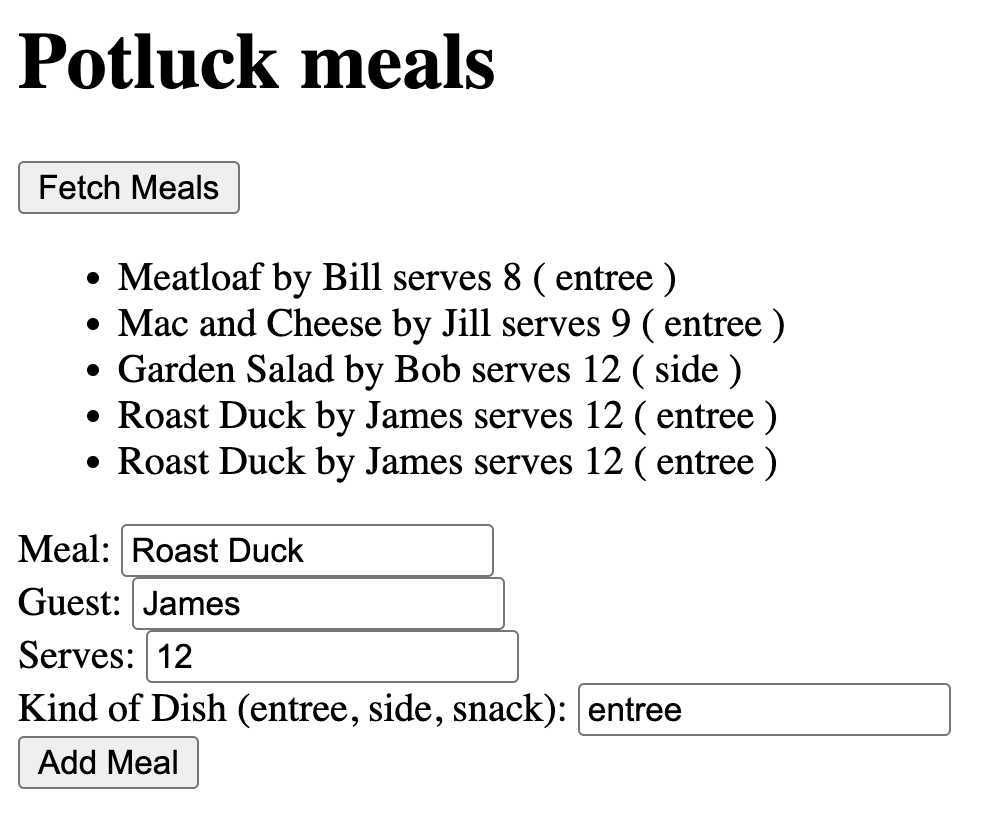
✅ Check
- Submit a new meal through the form
- The meals list updates automatically
- Your new meal appears in the list
- The list shows all meals including the new one
- No manual refresh is needed