codex-lv2-may-2025
🧪 Lesson 2: How to Use Postman
Tags: #lesson #level2 #postman
Goal: Explore query strings in Postman, compare HTML vs JSON responses, and practice using the Params tab.
Level: Beginner web development
Tools: Postman app or Postman Web
✅ Step 1: What is Postman?
Postman is a tool developers use to test APIs. Instead of typing a URL in the browser, you can send requests from Postman and see:
- Status code (200 OK, 404 Not Found, etc.)
- Headers (metadata about the response)
- Body (HTML or JSON text)
👉 Think of Postman as a microscope for the internet.
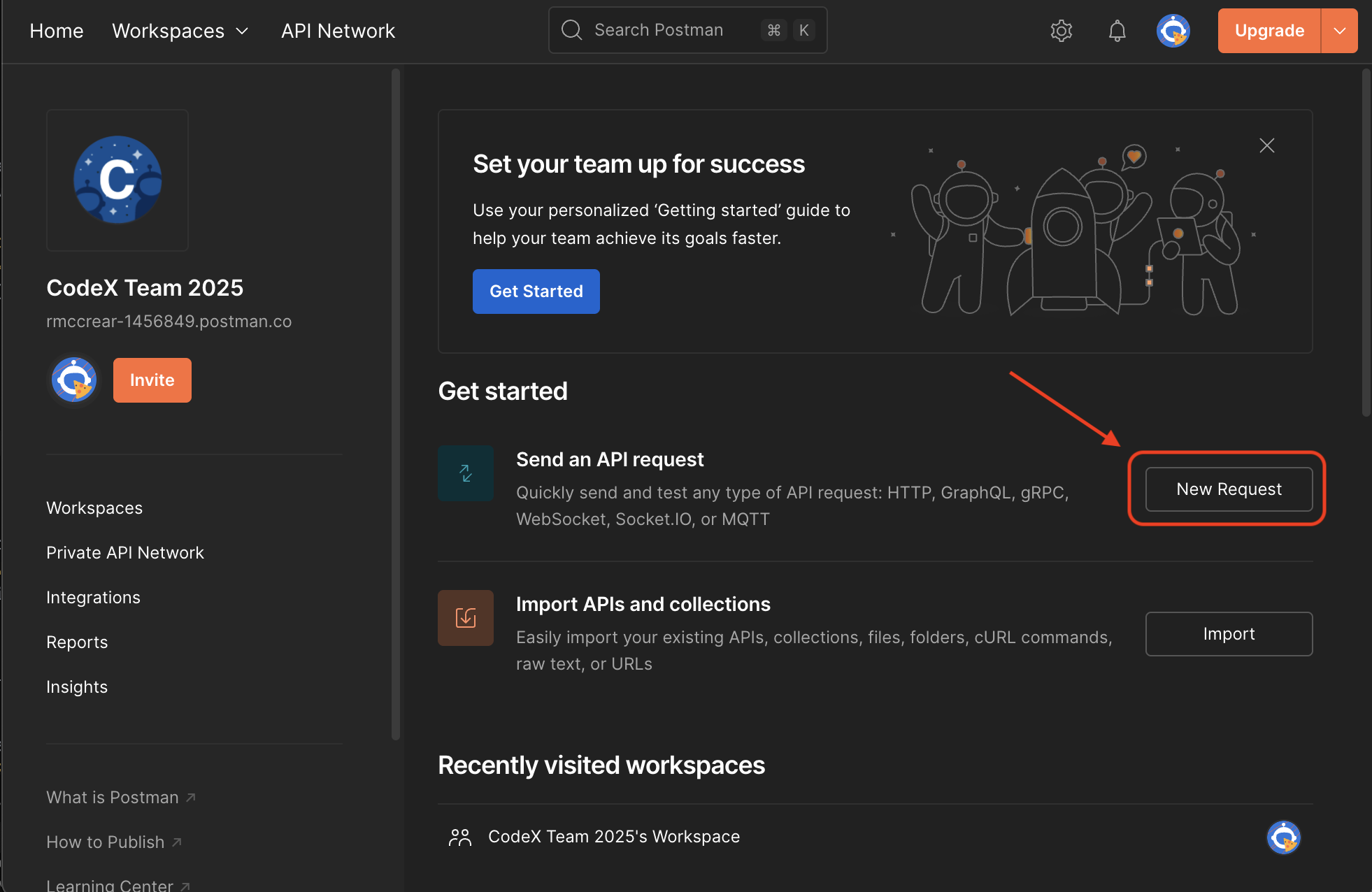
Above: The Postman workspace showing how to create a new request
✅ Step 2: Google Search (HTML)
- Open Postman.
- Click New → HTTP Request.
- Enter this URL:
https://www.google.com/search?q=funny+cat+videos
- Make sure the method is GET.
- Press Send.
Using the Params tab
| Key | Value |
|---|---|
| q | javascript |
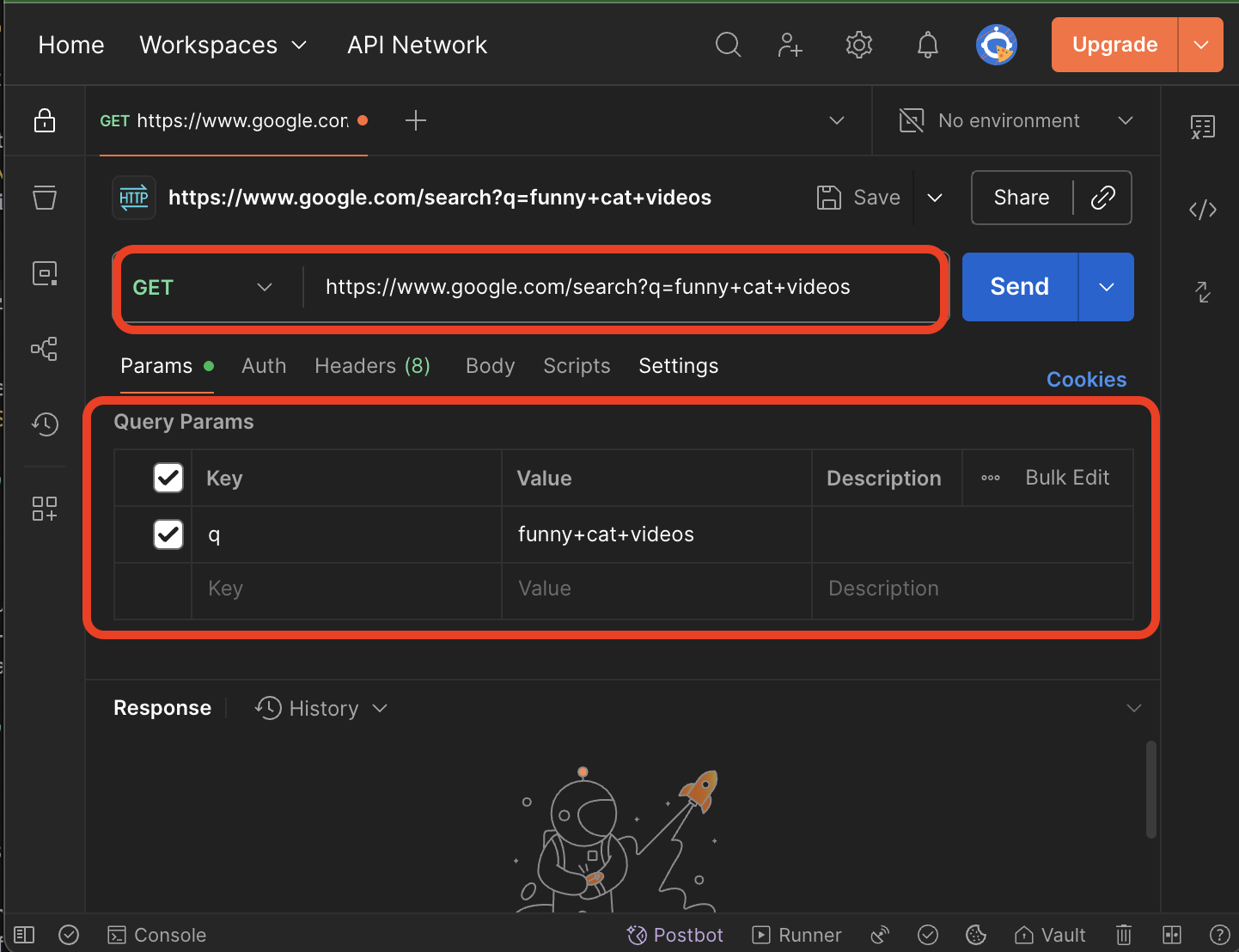
Above: Setting up search parameters in Postman for Google search
Note: Google Search requires CSS and JavaScript to display full results. You will only be able to see the raw HTML in the response to Postman.
✅ Step 3: DuckDuckGo (Text-Only HTML)
DuckDuckGo has a special HTML endpoint that returns simple text-based results—perfect for Postman.
Direct URL
https://duckduckgo.com/html?q=penguins
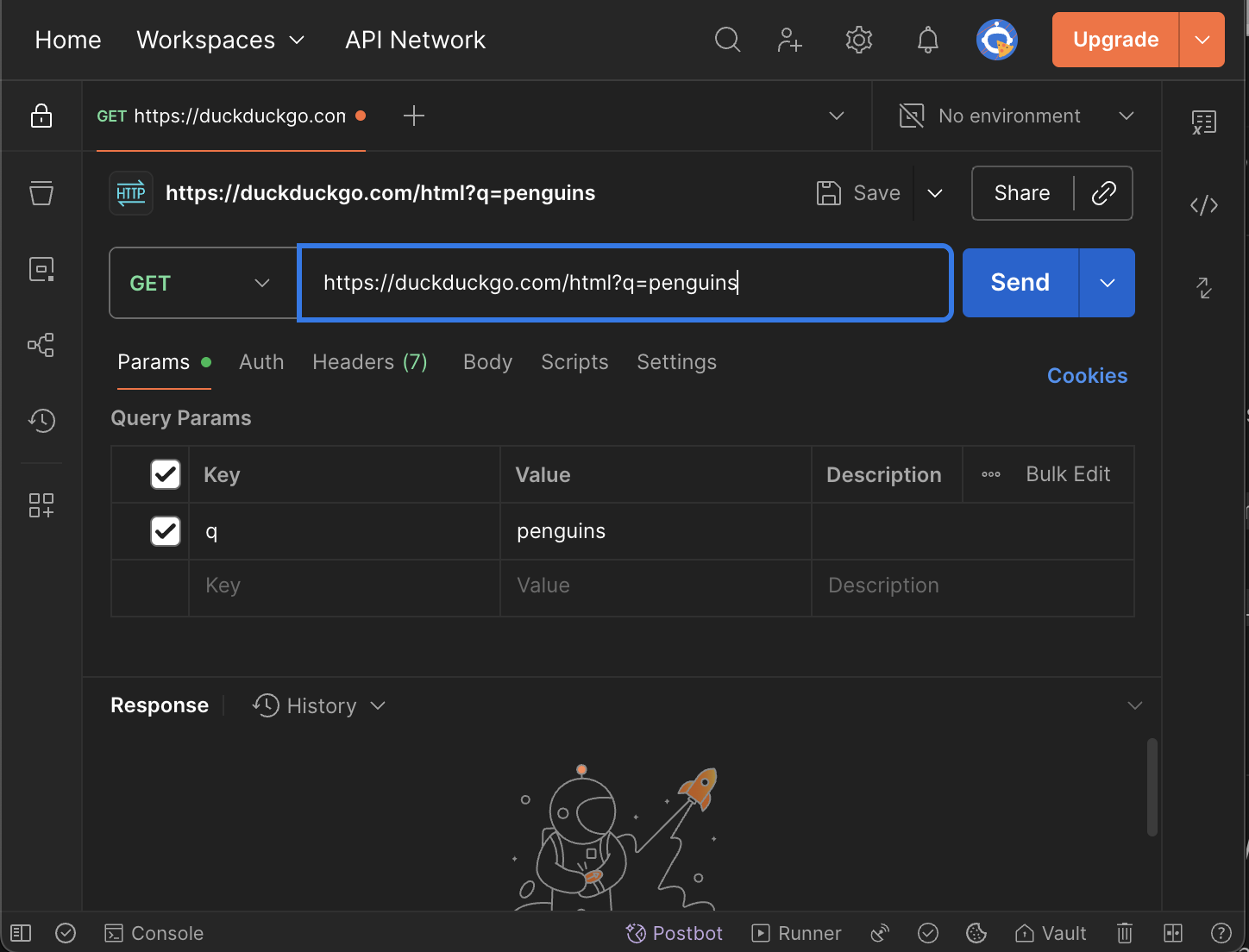
Above: Setting up search parameters in Postman for DuckDuckGo
Using the Params tab
| Key | Value |
|---|---|
| q | penguins |
Optional settings:
- Region:
kl=us-en - SafeSearch:
kp=1(on),kp=-1(moderate),kp=-2(off)
✅ Step 4: Allrecipes (HTML Search)
Allrecipes also supports query params with ?q=.
Direct URL
https://www.allrecipes.com/search?q=Omelet+dinners
Using the Params tab
| Key | Value |
|---|---|
| q | Omelet dinners |
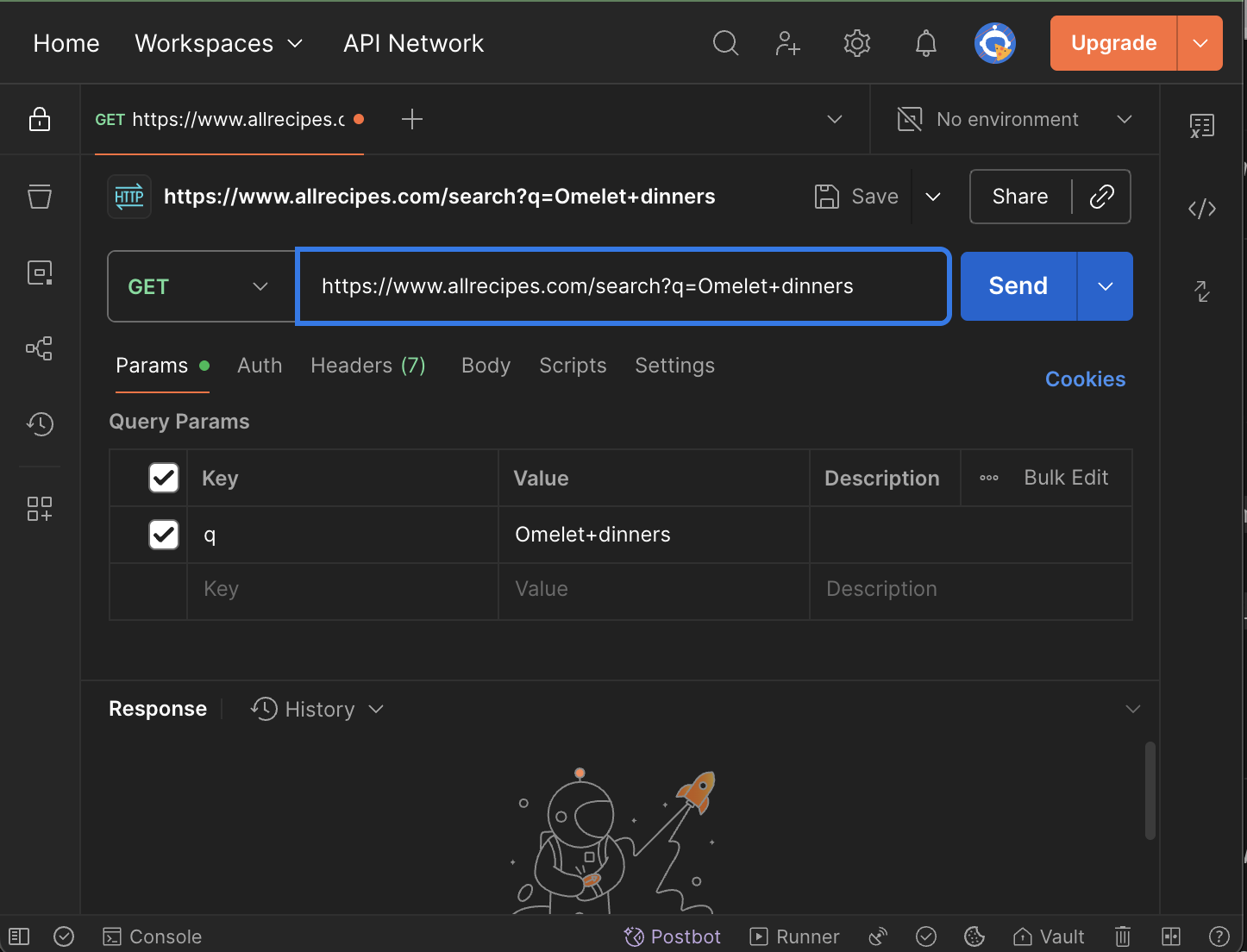
Above: Setting up search parameters in Postman for AllRecipes
✅ Step 5: Open-Meteo (JSON, New Orleans)
Now let’s use an API that returns JSON (data, not HTML).
Direct URL
https://api.open-meteo.com/v1/forecast?latitude=29.95&longitude=-90.07¤t_weather=true
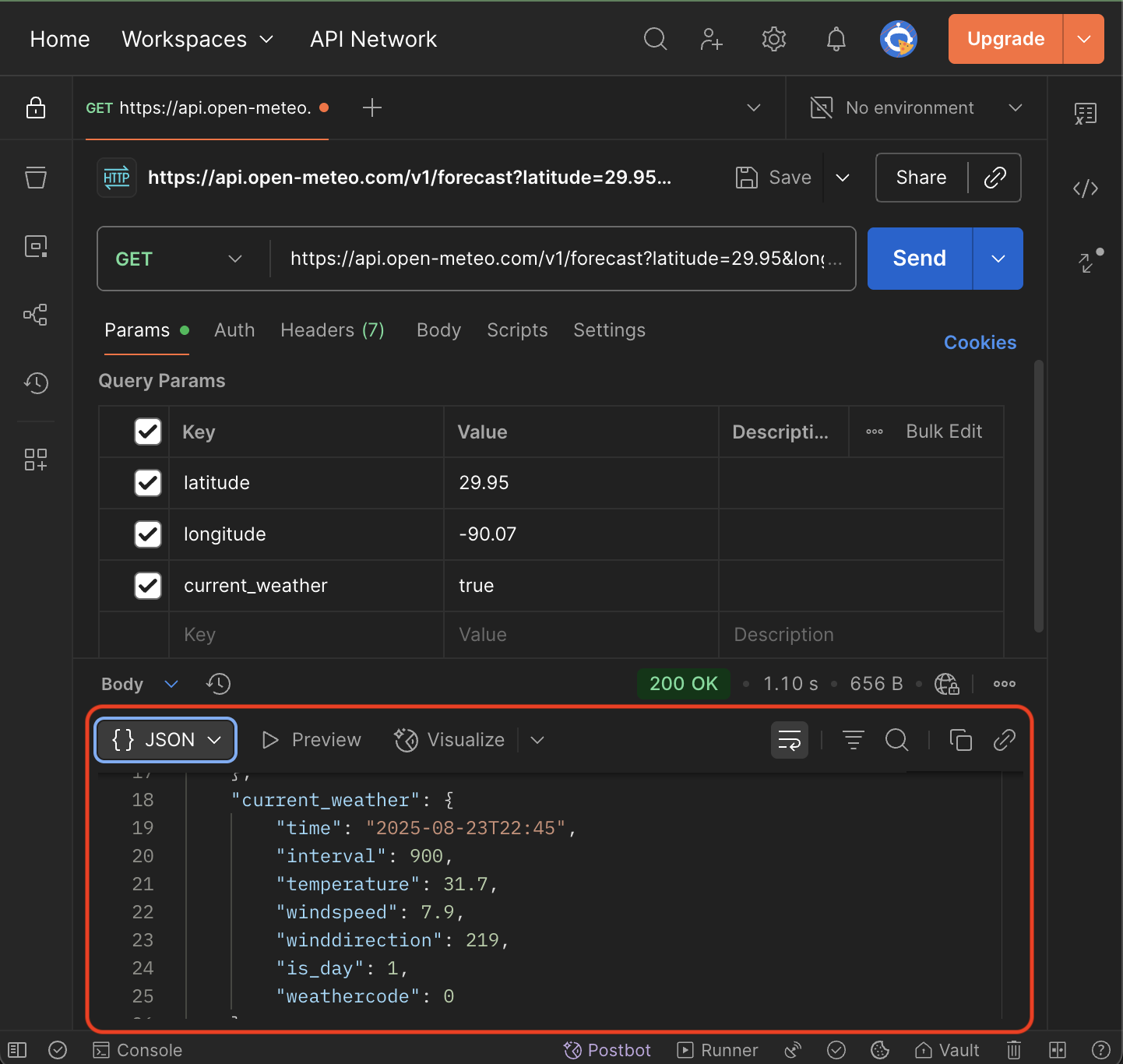
Above: Example of a weather API response showing JSON data structure
What you’ll see
- Top-level fields:
latitude,longitude - Inside
current_weather:temperature,windspeed,weathercode
Example (shortened):
{
  "latitude": 29.95,
  "longitude": -90.07,
  "current_weather": {
    "temperature": 31.2,
    "windspeed": 4.5,
    "weathercode": 1
  }
}
✅ Step 6: Compare Responses
- HTML pages (Google, DuckDuckGo, Allrecipes): look for
<title>,<a>,<h3> - JSON data (Open-Meteo): curly braces
{}, key/value pairs, easy for JavaScript
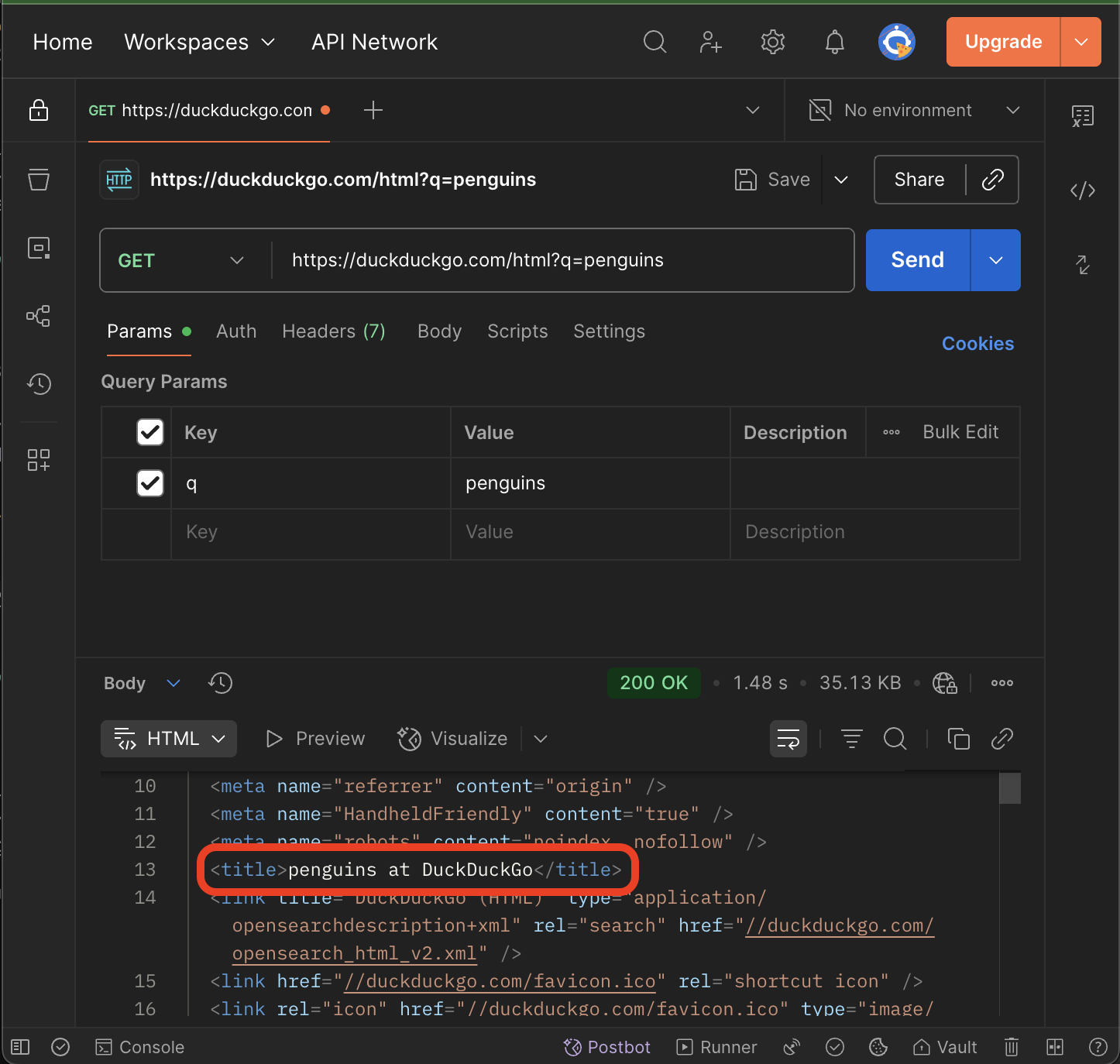
Above: Example of a successful API response in Postman showing the title and data structure
✅ Step 7: Save Weather Data to File
Now let’s save the weather data you received from the Open-Meteo API to a file in your my-search-params repository.
- Copy the JSON response from Postman (the entire response body)
- Create a new file in your repository called
current-weather.json - Paste the JSON data into this file
- Save the file and commit it to your repository
Example file structure:
my-search-params/
├── index.html
├── current-weather.json  ← New file
└── README.md
What to include in current-weather.json:
- The complete JSON response from the Open-Meteo API
- Make sure to format it properly (Postman can help with this)
- Include the timestamp of when you made the request
Git commands to add and commit:
git add current-weather.json
git commit -m "Add current weather data from Open-Meteo API"
✨ Challenges
-
DuckDuckGo tweak Add
&kl=us-enand&kp=1. What changes in results? -
Allrecipes remix Change
q=Omelet dinners→q=vegetarian+omelet→q=omelet+for+kids. -
Open-Meteo swap Change the coordinates from New Orleans (
latitude=29.95&longitude=-90.07) to Seattle (latitude=47.6&longitude=-122.3). Compare thetemperaturevalues.
🌍 Extra Challenge: Find Your Own Location’s Weather
-
Go to the LocationIQ Demo Page.
-
Type in the name of a place (e.g. your school, a landmark, or your hometown).
-
Copy the latitude and longitude shown.
-
Plug them into the Open-Meteo URL:
https://api.open-meteo.com/v1/forecast?latitude=[YOUR_LAT]&longitude=[YOUR_LON]¤t_weather=true -
Run the request in Postman.
-
Save the weather data to a new file in your repository:
- Create a file named
current-weather-[CITY-NAME].json - Replace
[CITY-NAME]with the actual city name (use lowercase, no spaces) - Examples:
current-weather-atlanta.json,current-weather-seattle.json,current-weather-newyork.json
- Create a file named
Repository structure after the challenge:
my-search-params/
├── index.html
├── current-weather.json          ← New Orleans (from Step 7)
├── current-weather-atlanta.json ← Atlanta weather data
├── current-weather-seattle.json ← Seattle weather data
├── current-weather-[city].json  ← Your chosen city
└── README.md
Note: Make sure you’re working in the my-search-params repository you created in Lesson 1.
Git workflow for each new city:
git add current-weather-[city].json
git commit -m "Add weather data for [City Name]"
Report back:
- Place name
- Coordinates
- Current temperature
- Filename you created
✅ Wrap-Up
You learned how to:
- Send GET requests in Postman
- Add query params via the Params tab
- Compare HTML vs JSON responses
- Use real coordinates to fetch live weather data
🔗 Navigation
- ← Back to Week 6 Overview
- ← Previous: Lesson 1 - Search Parameters
- → Next: Lesson 3 - Build a Weather App
👉 Next Lesson: Use Postman’s Code Generation to turn these requests into JavaScript fetch() calls.