codex-lv2-may-2025
🧪 Lesson 5 — Postman Code Generation
Tags: #lesson #level2 #postman #javascript
Goal: Create functions for multiple cities using Postman codegen. Test in Console first, then optionally add buttons.
Tools: Postman, browser DevTools (Console + Network), Bootstrap (CDN) - buttons are optional
Overview
In this lesson, you will use your repo from lesson 3.
Postman Code Generation is a powerful feature that automatically converts your API requests into working code snippets. When you click the “Code” button in Postman, it generates ready-to-use JavaScript, Python, or other language code that you can copy and paste directly into your projects.
Instead of having loose API code scattered throughout our script, we’ll create clean, named functions like fetchNewOrleansWeather() that contain all the Postman-generated fetch logic. You’ll first create the function, then immediately call the function to test it.
In this lesson, we will only be logging data to the console. We will update the actual webpage in the next lesson.
Steps
1. Create fetchNewOrleansWeather function with console.log()
- In
script.js, create a function calledfetchNewOrleansWeather - For now, just add
console.log("Weather for New Orleans")inside the function
Show me:
  function fetchNewOrleansWeather() {
    console.log("Weather for New Orleans");
  }
2. Immediately call it to test it in the console
- Open DevTools Console
- Type
fetchNewOrleansWeather()and press Enter - You should see your log message in the Console
- Commit your changes to Git
Show me:
  function fetchNewOrleansWeather() {
    console.log("Fetch weather for New Orleans");
  }
  fetchNewOrleansWeather();
Show me:

💡 Need help with functions? Check out our JavaScript Reference for function basics.
3. Optional Challenge: call when you click on a button
- No code samples or hints given - this is your challenge!
- Create a button in your HTML
- Wire it to call your function
- Test that clicking the button shows the console log
4. Code gen from Postman and paste into fetchNewOrleansWeather
- In Postman, open Open-Meteo request for New Orleans
latitude=29.95&longitude=-90.07¤t_weather=true
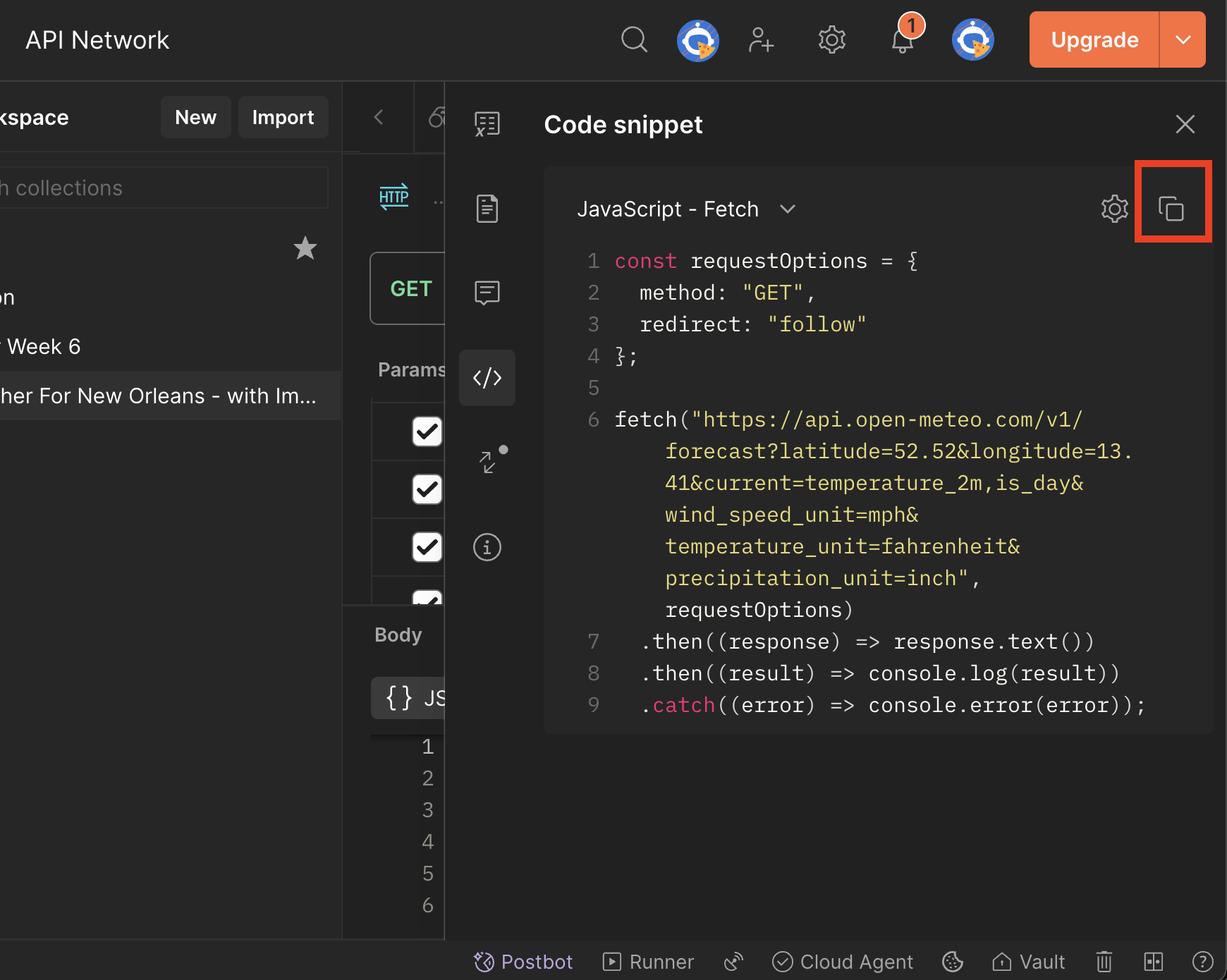
- Click Code (</>) → JavaScript — Fetch
- Copy the entire snippet (fetch + then/catch)
- Paste it inside your
fetchNewOrleansWeatherfunction, replacing the console.log - Test immediately:
- In Console, call
fetchNewOrleansWeather()→ verify JSON response - Network shows a GET request to
api.open-meteo.comon each call - Console shows the weather data
- In Console, call
- Commit your changes to Git
💡 Understanding
.then()and promises? See our Promise Reference Guide for detailed explanations.</summary>
 </details>
5. Reload the page and check the network tab and the console tab in dev tools
- Open DevTools → Network tab
- Refresh your browser page
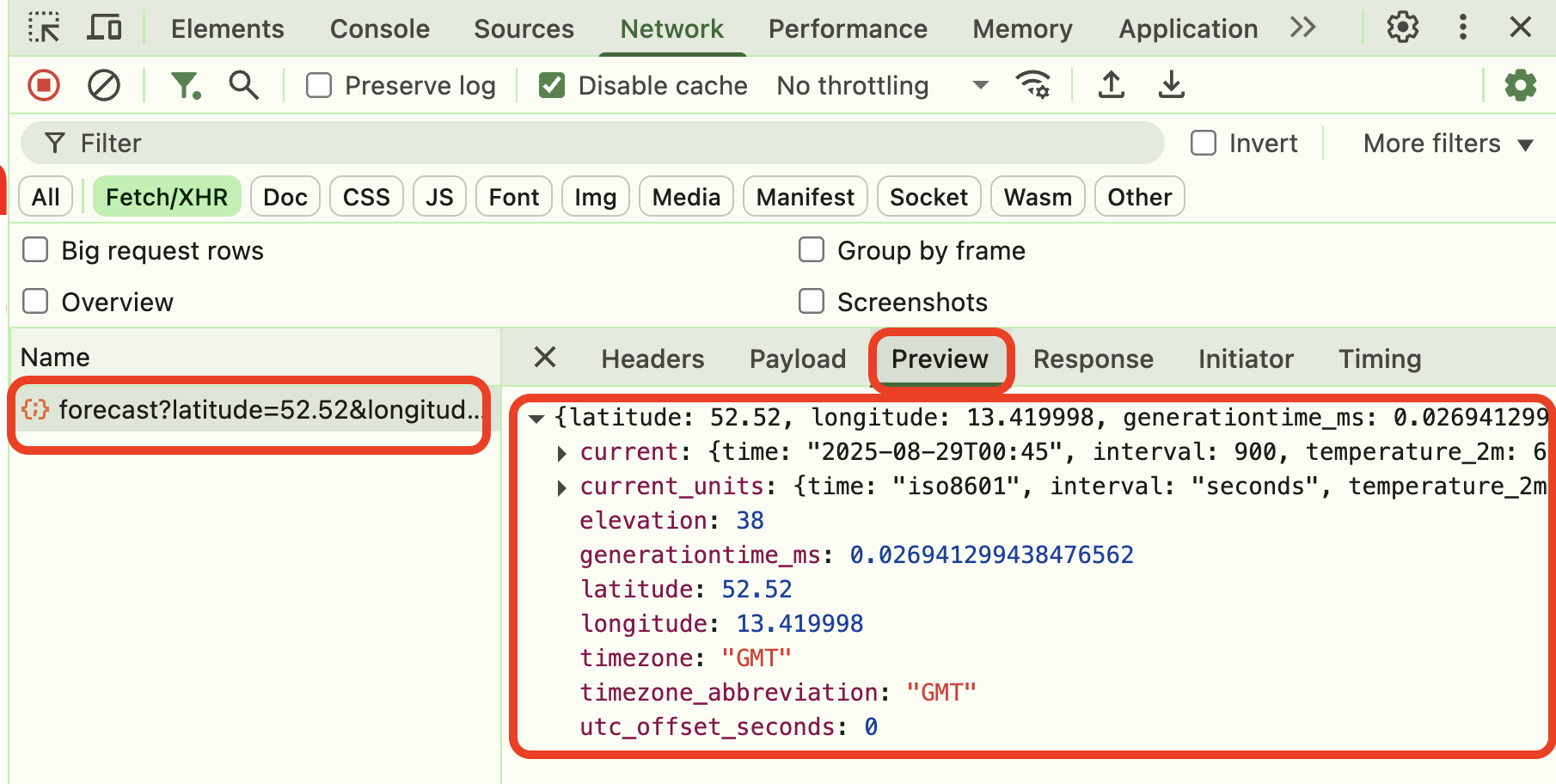
- Verify you see the API request in Network tab
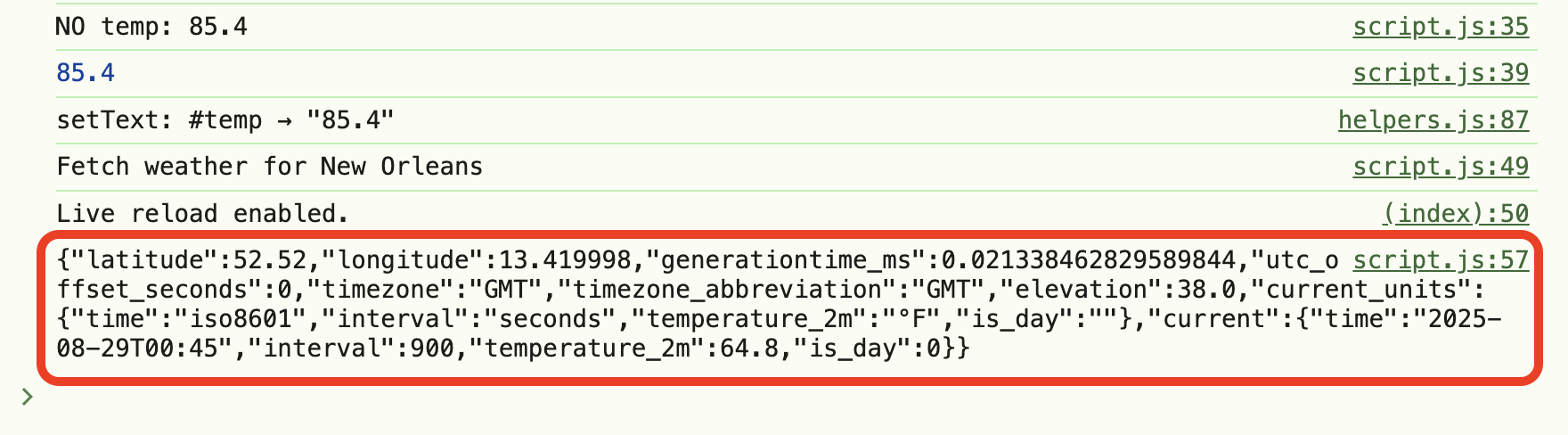
- Verify you see the weather data in Console tab
6. Repeat for the other cities
For each new city:
- Create a new function (e.g.,
fetchSeattleWeather,fetchNYCWeather) - Get coordinates from Postman
- Generate code and paste into the function
- Test in Console first
- Optional: Add buttons for each city
7. Analyze network performance
- Open DevTools → Network tab
- Call your weather functions for different cities
- Look carefully at the timing information for each request
- Note how long each data request took to complete
- Also check the Console tab: Do you notice a delay in the console logs?
Why this matters: Understanding network performance helps you identify potential bottlenecks and optimize your app. Some cities might load faster than others due to server location, network conditions, or API response times. This analysis gives you real-world insights into how your app performs and helps you make informed decisions about user experience improvements. The console delay gives you a user’s perspective of how “fast” or “slow” the app feels.
City Coordinates Reference
- New Orleans:
latitude=29.95&longitude=-90.07 - Seattle:
latitude=47.61&longitude=-122.33 - New York:
latitude=40.71&longitude=-74.01 - Los Angeles:
latitude=34.05&longitude=-118.24 - Chicago:
latitude=41.88&longitude=-87.63 - Miami:
latitude=25.76&longitude=-80.19 - Denver:
latitude=39.74&longitude=-104.99 - Taipei:
latitude=25.03&longitude=121.57
Tips & Testing
- Open DevTools first: Console + Network (check Preserve log)
- Test functions in Console before adding buttons
- Name functions clearly:
fetchNewOrleansWeather,fetchSeattleWeather - Check Network tab to verify API calls are working
- Commit after each working function
Wrap-Up
You built weather functions with:
- Postman codegen pasted into functions
- Console testing before UI integration
- Optional button challenge for those who want it
- Multiple cities with reusable patterns
📚 Reference: Promise Reference Guide - Keep this handy for arrow functions and promise concepts!
🔗 Navigation
👉 Next time: replace console.log() with DOM updates (write temperature into a <span>) and add a tiny “Loading…” indicator.